depositfee
Add fees to individual or multiple products inside Product Bundle in Shopify
Solves the problem of adding fees to Product Bundle
Article
Pfand - deposit fee & cart fee solves the problem to apply the fees inside product bundles in shopify
But There might be cases where you have a bundle
let's say 2 cases :
- 6 Bottle PACK contains 6 'X' bottle , All have fees on them
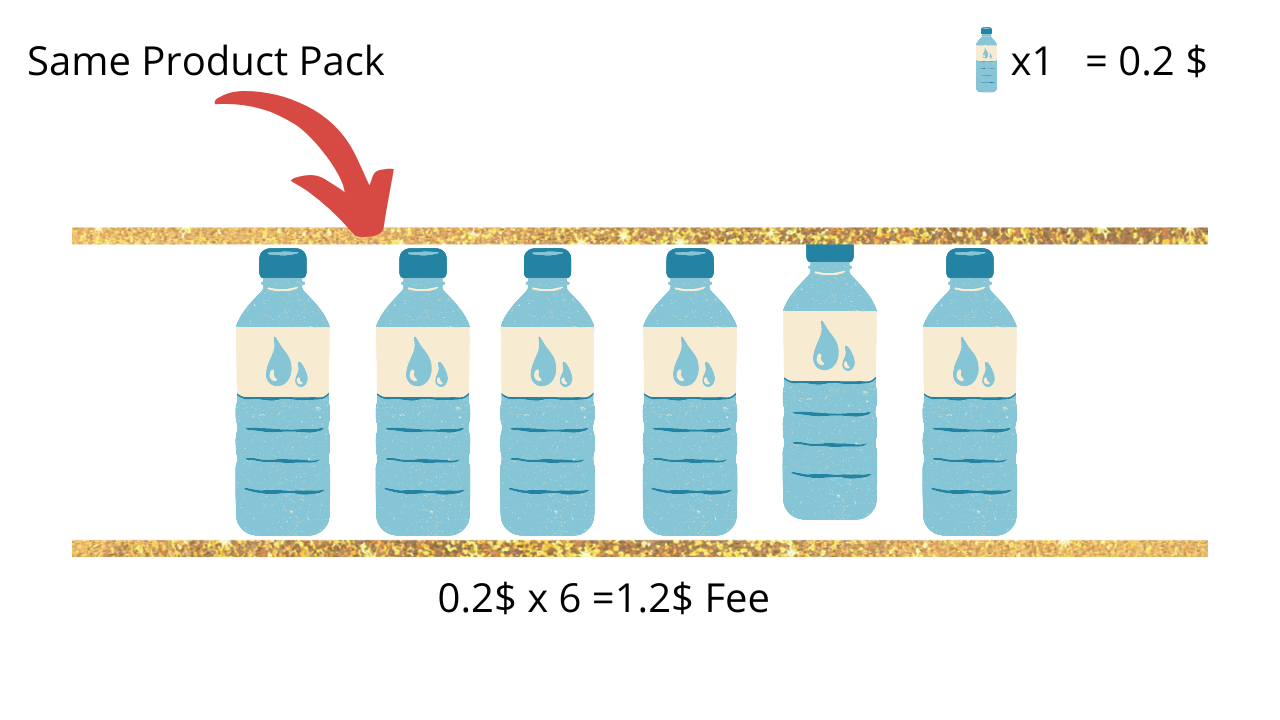
- 6 Bottle PACK / Bundle Contain bottle X,Y,Z, Only some ( X) of them have fees on them,others don't (Y,Z)
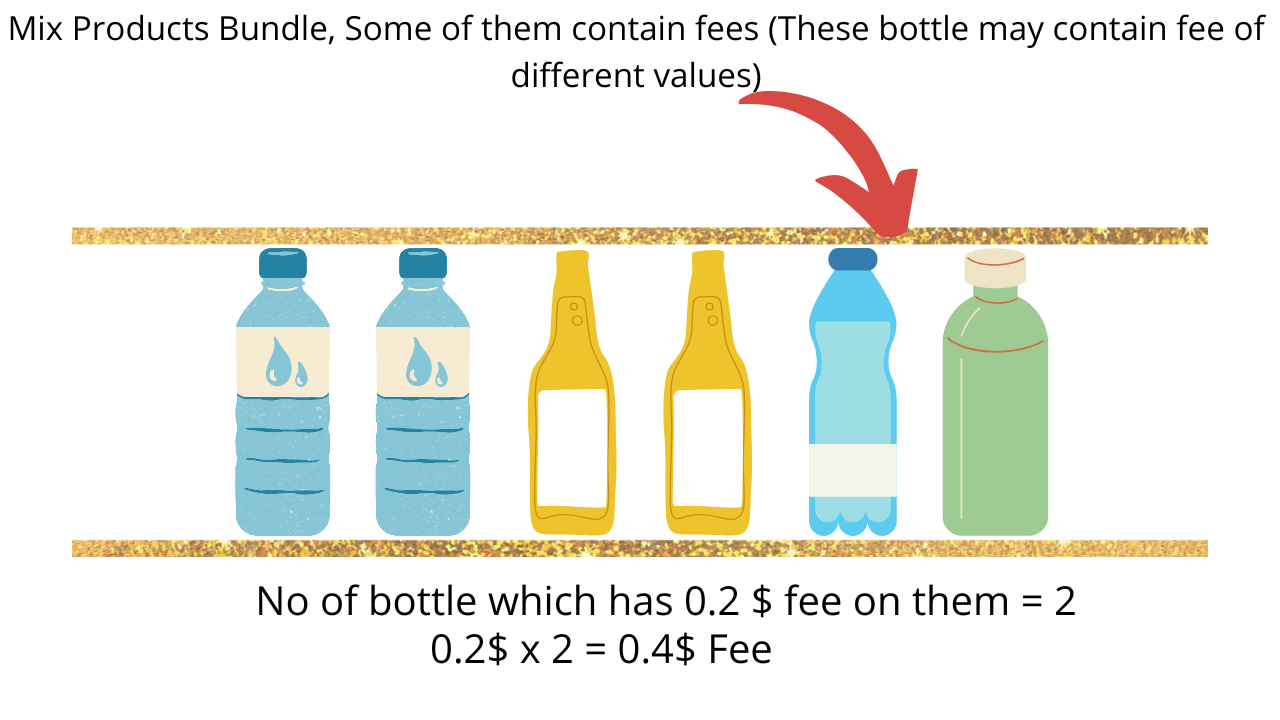
To solve the above, there is a good news, It's now easy,
Prerequisite
- Your store must have installed Pfand deposit & cart fee app
- You must have already created an Multiple fee using the app
Fee Strategy recommendation
For bundle-related setups, pick the strategy based on checkout behavior:
- Bundle with product: The fee will be bundled with the main product at checkout. The fee amount will be added to the main product's price.
- Bundle with fees: The fee will be displayed as a separate line item in the checkout bundled with other fees.
Read full strategy details and current limitations: DepositFee Fee Strategy: Bundle with Product vs Bundle with Fees
Case 1 : 6 x Can bundle contains 6 cans, All have fees on them
- Go to products, Add a product variant
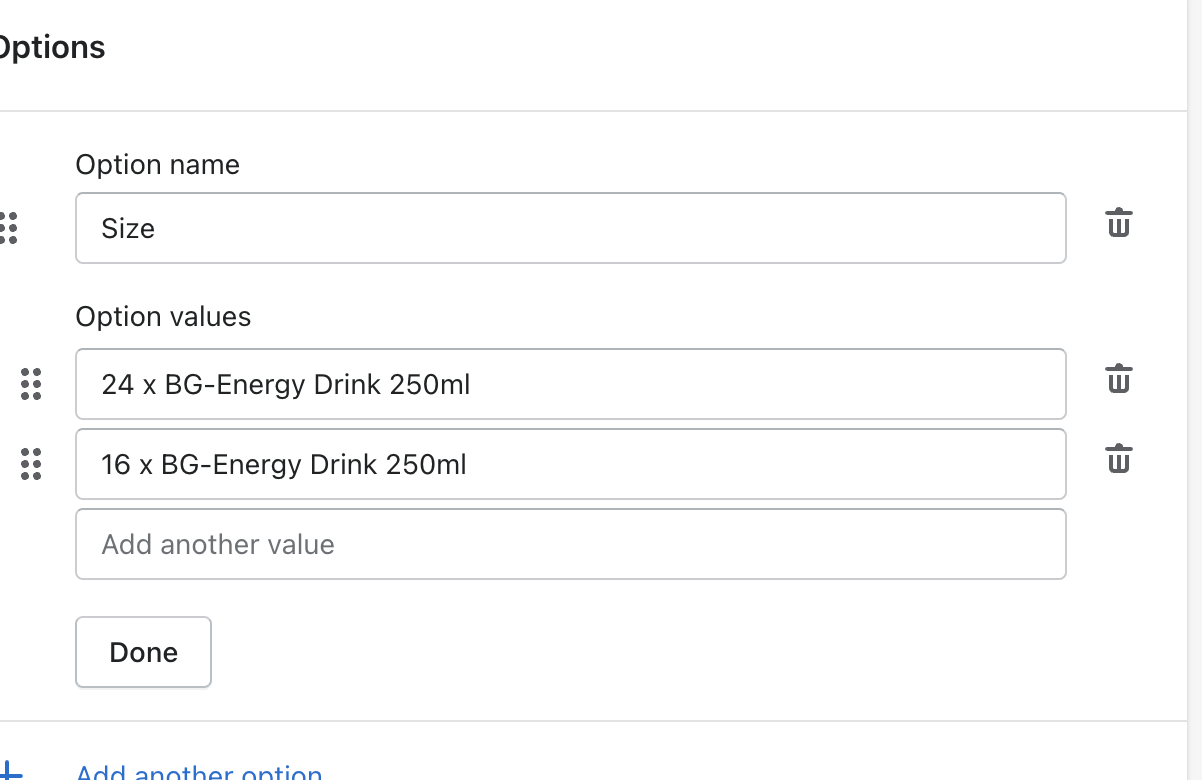
- Make sure to check the option to Size
- In the optiona values , add in this format
(Number) * Product title
So in our case it should be 6 x can bundle, the below image is a sample you can refer,
- Add variants with price , hit save.

Live working Demo

Case 2 : 6 x Can bundle, Only some of them have fees on them
For case 2 an article has been already return ,please refer to this article.
Related